KdtDesk رو اجرا کنید، شناسه و رمز یهبارمصرف رو به کارشناس KDT بدید — همین هیچ اتصالی بدون اجازه شما برقرار نمیشه. Run KdtDesk and give the ID and one-time password to your KDT support agent — that's it. Connections are incoming-only and happen only with your permission.
وضعیت سرور: آنلاین Server status: online 12ms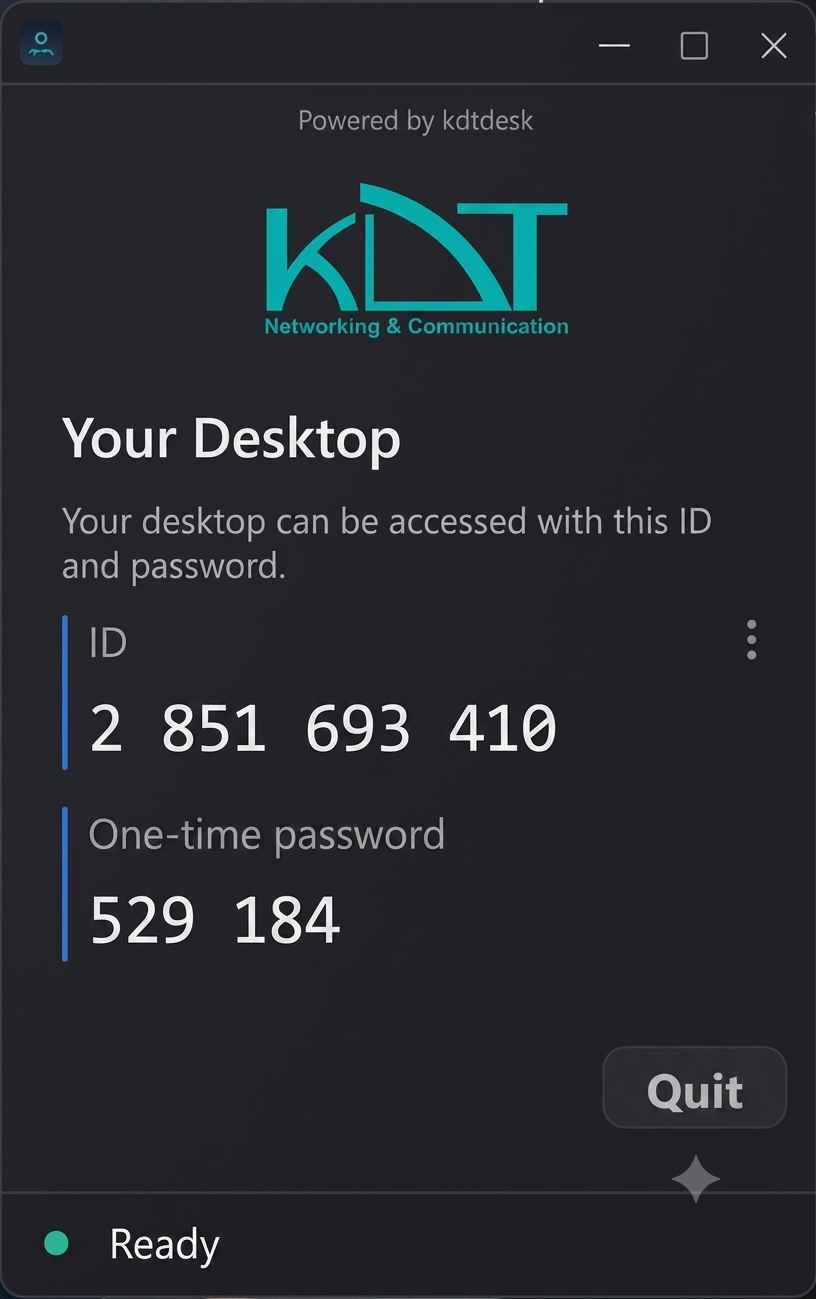
KdtDesk فقط برای اتصال ورودیه — کارشناس پشتیبانی KDT مستقیم وصل میشه و مشکلتون رو حل میکنه. KdtDesk is built for incoming connections — so the KDT support team can solve your problem faster and easier.
فایل رو دانلود کنید و مستقیم اجراش کنید — نصب نمیخواد. Download the portable file and run it directly — no installation needed.
شناسه و رمزی که روی صفحه میبینید رو به کارشناس KDT بگید — مثلاً 2 851 693 410.
Read the displayed ID and one-time password to your KDT support agent — e.g. 2 851 693 410.
کارشناس وصل میشه و مشکل رو همونجا حل میکنه. هر وقت خواستید با دکمه Quit اتصال رو قطع کنید. The agent connects and fixes the issue right there. End the session anytime with the Quit button.
KdtDesk به هیچجایی وصل نمیشه — فقط به کارشناس اجازه میده به دستگاه شما دسترسی داشته باشه، اونم فقط با شناسه و رمزی که خودتون بهش میدید. KdtDesk never connects out to other computers — it only allows access to your device, and only with the ID and one-time password you choose to share.
اتصال پایدار و سریع روی سرور اختصاصی KdtDesk — بدون نیاز به هیچ سرویس خارجی. Stable, fast connections on KdtDesk's own infrastructure — no third-party dependency.
نصب نمیخواد — کارشناس راهنماییتون میکنه، شما فقط دانلود و اجرا کنید. Runs with zero installation — your agent guides you, you just download and run.
هر بار یه رمز جدید میگیرید — بعد از تموم شدن پشتیبانی، دیگه کسی دسترسی نداره. Every session gets a fresh password — after support ends, no one has access anymore.
قبل از تماس یا همون موقعی که با کارشناس صحبت میکنید دانلود کنید. To receive support, download it before or during your call with the agent.
نصب نمیخواد — دانلود کنید، مستقیم باز کنید. Runs without installation — download and open directly.